
















Acrylic Pocket Displays for Tension Cable Systems
Discover professional acrylic pocket displays from Systematic Art. Available in portrait, landscape and large-format sizes, our clear acrylic display pockets work with compatible stainless steel tension cable systems to present real estate listings, photographs, posters, graphics and printed information in a clean, modern arrangement.
About Acrylic Pocket Displays +
Professional Acrylic Pocket Display Systems
Systematic Art acrylic pocket displays provide a streamlined way to present printed materials within compatible stainless steel tension cable systems. These transparent acrylic holders are designed for displaying photographs, real estate listings, posters, certificates, promotional graphics and informational signage.
Multiple acrylic pockets can be arranged along tensioned cables to create organized vertical displays, making them suitable for professional environments where materials need to be presented clearly and updated as information changes.
Portrait & Landscape Acrylic Display Pockets
Systematic Art offers acrylic display pockets in a variety of sizes and orientations. Portrait acrylic pockets are suitable for vertically formatted photographs, certificates, property listings and printed notices, while landscape pockets accommodate horizontally formatted graphics, photographs and presentation materials.
Selecting the appropriate pocket size and orientation allows display materials to be presented neatly within a compatible tension cable system.
Large-Format Acrylic Pockets for Posters & Graphics
In addition to standard acrylic pocket sizes, Systematic Art offers hard-to-find large-format acrylic display pockets for oversized printed materials, posters and graphics.
These larger formats provide additional presentation options for commercial signage, retail promotions, real estate marketing and other applications requiring increased display space.
Real Estate Window & Property Listing Displays
Acrylic pocket display systems are particularly useful for real estate offices and storefront windows. When combined with compatible tension cables, clear acrylic pockets can present multiple property listings, photographs and descriptions in an organized vertical arrangement.
This display format allows printed property information to be replaced or updated as listings change while maintaining a consistent professional presentation.
Acrylic Displays for Retail, Offices & Institutions
Systematic Art acrylic pocket displays can be used in retail stores, galleries, universities, hospitals, corporate offices, hospitality environments and other professional spaces.
Common applications include promotional graphics, informational notices, certificates, photographs, menus, directories and other printed materials that benefit from a clear and organized display.
Build a Complete Acrylic Tension Cable Display
A complete acrylic pocket display system combines compatible acrylic pockets with stainless steel tension cables, mounting hardware, tensioners and other necessary accessories.
Different pocket sizes and orientations can be selected according to the content, available space and intended display configuration. Always verify compatibility between the acrylic pockets and tension cable hardware.
Explore Systematic Art acrylic pocket displays in portrait, landscape and large-format sizes to create professional tension cable presentations for real estate listings, photographs, posters and informational materials.
Tension System Builder
-
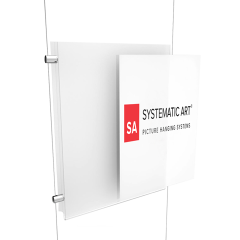 PopularAcrylic Portrait Pocket Display
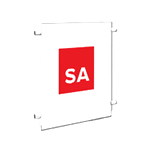
The frame-less Acrylic Pocket Display is used to easily hang photos, real estate listings, advertisements, documents, menus and artwork.
As low as $13.95 -
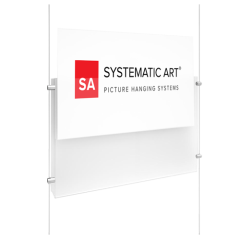 PopularAcrylic Landscape Pocket Display
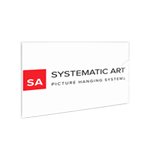
The frame-less Acrylic Pocket Display is used to easily hang photos, real estate listings, advertisements, documents, menus and artwork.
As low as $14.95 -
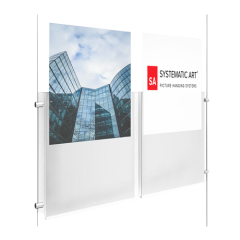 Acrylic Portrait Dual Pocket Display
The frame-less Dual pocket display is designed to display (2) graphics side by side with one sheet of acrylic.
$22.95