
















Acrylic Pocket Displays for Suspension Systems
Systematic Art Acrylic Pocket Displays provide a clean and organized way to present literature, brochures, photographs, artwork and other printed materials using compatible suspension display systems. Clear acrylic pockets keep the displayed material visible while allowing the supporting hardware to remain visually minimal.
Suspended Acrylic Pocket Displays
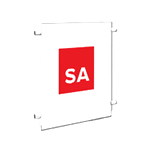
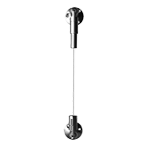
Acrylic pockets can be incorporated into compatible suspension systems to create hanging displays for printed materials and visual presentations. The pockets are suspended using compatible cables and attachment hardware, providing an alternative to mounting individual display holders directly to the wall.
Multiple Sizes & Display Formats
Systematic Art offers acrylic pockets in a variety of sizes for different presentation requirements. Depending on the selected pocket and configuration, displays can be arranged to accommodate literature, brochures, photographs, artwork and other printed materials.
Acrylic Displays for Offices, Galleries & Retail Spaces
Suspended acrylic displays are well suited for offices, galleries, retail environments and other professional spaces where information or visual materials need to be presented in a clean and organized format. Multiple pockets can be incorporated into a display to create coordinated presentations within the available space.
Build a Complete Suspended Acrylic Display
Combine acrylic pockets with compatible suspension cables, mounting hardware and attachment components to create a complete display system. The modular approach allows the display to be configured according to the size, quantity and arrangement of the materials being presented.
Explore Systematic Art Acrylic Pocket Displays for creating clean suspended presentations for literature, brochures, photographs, artwork and other printed materials.
Suspension System Builder
-
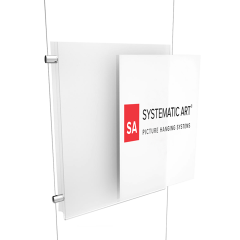 PopularAcrylic Portrait Pocket Display
The frame-less Acrylic Pocket Display is used to easily hang photos, real estate listings, advertisements, documents, menus and artwork.
As low as $13.95 -
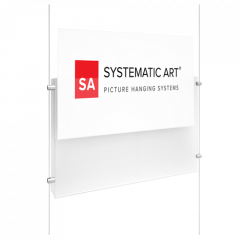 PopularAcrylic Landscape Pocket Display
The frame-less Acrylic Pocket Display is used to easily hang photos, real estate listings, advertisements, documents, menus and artwork.
As low as $14.95 -
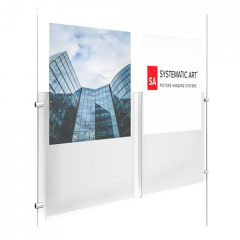 Acrylic Portrait Dual Pocket Display
The frame-less Dual pocket display is designed to display (2) graphics side by side with one sheet of acrylic.
$22.95